SQL Accounting Software Features
More than 320,000 companies are using SQL Accounting software to manage their daily business transactions.
SQL Account is trusted by businesses both locally and internationally. SQL account is the best accounting software that packed with a plethora of useful features that are tailored to enhance your business processes. Speed up your book-keeping procedure so that you can focus on other equally important aspects of your business.
SQL Account’s wide range of functions include data collection and analysis, customizable reporting to suit your business workflow , inventory, Commission calculation, e-Commerce solutions and SST processing.
SQL Account is available in both cloud-based and desktop application.
We provides an abundance of resources to support you and your business throughout the use of our software. SQL accounting software comes with top quality support. Why depend on self-search or robot generated answers when you can get a qualified human to answer your questions.
Sales and Purchase
- Profit Estimator
- Partial delivery with back order reports
- Multiple Pricing & AI selling price assignment
- View Top selling product & customer
- Itemize profit and loss document report
- Batch email customer invoice / customer statement of account
- Whatsapp Integration
- Comprehensive and Customisable report format
Need a report?
Our sales module comes with a plethora of sales reports such as Sales Document Listing, Outstanding Sales Document Listing, Sales Picking List, Customer Price History, Profit and Loss by Document, Sales Analysis by Document and Yearly Sales Analysis.


Stock
- 100% accuracy for stock costing
- Smart automate stock reorder advice
- Multiple Warehouse Management
- Multiple UOM
- Unlimited stock category
- Barcode Generation
- SQL Manufacturing
Need a report?
The stock module comes with Stock Document Listing, Stock Reorder Advice, Stock Physical Worksheet, Stock Card, Stock Month End Balance, Stock Aging and Stock Analysis by Document
Sales and Service Tax
- Automate sales and service tax for all documents.
- SST-02 draft
- SST-02 Report
Need a report?
SST-02 report, SST Listing, advance filtering for SST listing. pivot table for SST Listing


Others Good Features
- Foreign Currency (with Advance currency bank)
- Project Accounting
- Item Template
- Landing Cost
- Sales commission calculation * Special unique feature
- Unlimited user defined fields * Special unique feature
- Serial number
- Global price changes for all items
- Customisable suite to your unique business policy
Click here to view more customizations
Need a report?
Stock Document Listing, Stock Reorder Advice, Stock Physical Worksheet, Stock Card, Stock Month End Balance, Stock Aging and Stock Analysis by Document all from the Stock Module.
Customer
- Fast entry multiple invoices in single interface
- Customizable customer aging formula
- Advance Credit Limit & Credit Control
- Automated document knock-off feature by FIFO
- Post-dated Cheque and bounced cheque management
Need a report?
Customer module has a wide range of reports such as Customer Document Listing, Customer Balance Report, Due Document Listing, Aging Report, Customer Statement, Customer Post Dated Cheque Listing, Customer Analysis by Document, and Customer Sales and Collection Analysis. Each of these reports have been proved to work well with multi-currency.


Supplier
The features listed in the customer module are also applicable for supplier module. Below are the supplier module's extra features:
- Bank Giro function for all banks
- Fast, accurate, user-friendly features
Need a report?
We provide a wide range of reports that are detailed and user-friendly at the same time. The supplier module comes with: Supplier Document Listing, Supplier Balance Report, Due Document Listing, Aging Report, Supplier Statement, Supplier Post Dated Cheque Listing, Supplier Analysis by Document, and Supplier Sales and Collection Analysis. Each of these reports have been proved to work well with multi-currency.
General Ledger
- Flexible Financial Reports
- Unlimited level of GL Account
- Advance security document lock * Special unique feature
- Easy Drill down to source documents
Need a report?
SQL Account provide a comprehensive range of financial reports such as G/L Document Listing, Journal of Transaction Listing, Transaction Summary Listing, Ledger Report, Trial Balance, Receipt and Payment report, Profit and Loss Statement, and Balance Sheet Statement.


Special Industries
- Accountant set
- Shipping, Freight and Forwarding
- Property Management
- Construction Company
- Distributor, Wholesaler
- Services Company
- Motor Vehicle System
- Transportation
- Photocopier Meter Reading
- Paper Industries
- Pharmaceutical
- Glass and Aluminum industries
Need an assist?
Contact us for more industries based solutions.
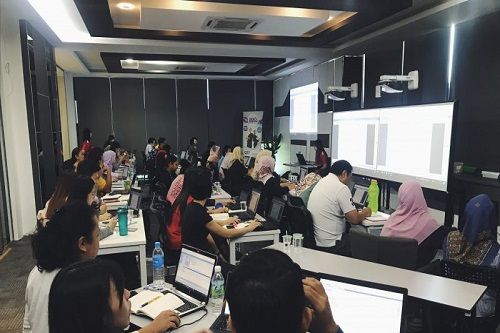
Unlimited monthly free accounting software training and responsive support team
No worries if you are unfamiliar with our system! We provide free accounting software training every month. Contact us to find out more! Our technical support team is fully trained and equipped to assist you via phone, email, and remote access.