Connect. Automate. Scale
SQL Accounting REST API Integration Service
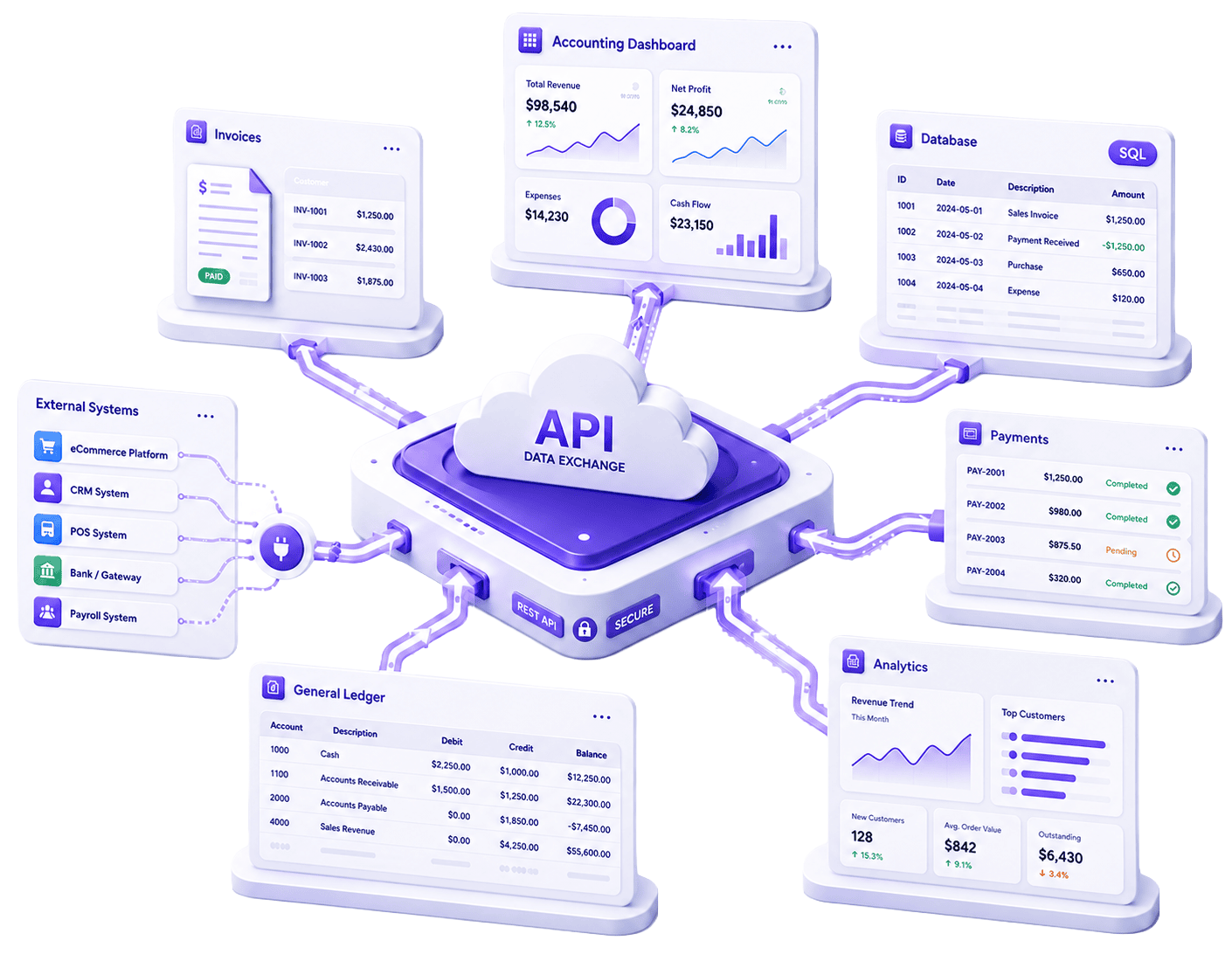
Automate data exchange, reduce manual rekeying, and speed up integration projects with Postman resources, documented payloads, and starter examples for common development stacks.
❮

AWS SIGV4 AUTHENTICATION
Secure system-to-system requests

POSTMAN COLLECTION
Test faster with ready requests

JSON AND PDF WORKFLOWS
Support data exchange and document retrieval

PROGRAMMING LANGUAGES
Starter examples in popular languages

DOCUMENTED OBJECTS
Work with invoices, stock, payments, and more
❯

Work with GST and SST enabled SQL accounting workflows

Connect sales, purchase stock, customer, payment, journal, and transfer workflows

Create, edit, delete, and retrieve business records

Support live and batch data updates

Stock Transfer

Maintain Customer

Stock Received

Agent

Stock Item

Journal Entry

Sales Invoice

GL Payment Voucher

Purchase Invoice

Customer Payment

Sales Order to Sales Invoice




❮

Request API
Credentials
Access key and secret key are issued through the onboarding process for controlled API usage.

Test Endpoints with Postman
Use the provided collection to confirm request signing, required fields, and module behavior.

Send and Retrieve JSON Records
Create, update, delete, and retrieve data using structured payloads and documented field rules.

Move Into Live Integration
Use the same hosted API approach for demo and production onboarding, guided by provider-issued credentials.
❯








PHP

C#

GAS

Node.js

Python
$ch = curl_init();
curl_setopt($ch, CURLOPT_URL,
  "http://localhost:8080/api/Customer");
curl_setopt($ch, CURLOPT_HTTPHEADER,
  ["Authorization: Bearer YOUR_TOKEN"]);
$result = curl_exec($ch);
var client = new HttpClient();
client.DefaultRequestHeaders.Add(
  "Authorization", "Bearer YOUR_TOKEN");
var res = await client.GetAsync(
  "http://localhost:8080/api/Customer");
var body = await res.Content.ReadAsStringAsync();
function getCustomer() {
  var url = "http://localhost:8080/api/Customer";
  var opts = { headers: { "Authorization": "Bearer YOUR_TOKEN" } };
  var res = UrlFetchApp.fetch(url, opts);
  Logger.log(res.getContentText());
}
const axios = require('axios');
const res = await axios.get(
  'http://localhost:8080/api/Customer', {
  headers: { 'Authorization': 'Bearer YOUR_TOKEN' }
});
console.log(res.data);
import requests
headers = {"Authorization": "Bearer YOUR_TOKEN"}
res = requests.get(
  "http://localhost:8080/api/Customer",
  headers=headers)
print(res.json())
A solid choice for web service and event-driven application.
- Suitable for web-based integrations projects
- Invoice & document workflow examples
A solid choice for web service and event-driven application.
- Good fit for internal tools and back-end systems
- Downloadable GET & POST examples
A solid choice for web service and event-driven application.
- Helpful for Google Workspace-based processes
- Suitable for simple sales and finance automation flows
A solid choice for web service and event-driven application.
- Well suited for API gateways and automation services
- JSON workflow & PDF retrieval examples
A solid choice for web service and event-driven application.
- Strong fit for middleware and server-side jobs
- Includes reusable examples for signed API requests
$ch = curl_init();
curl_setopt($ch, CURLOPT_URL,
  "http://localhost:8080/api/Customer");
curl_setopt($ch, CURLOPT_HTTPHEADER,
  ["Authorization: Bearer YOUR_TOKEN"]);
$result = curl_exec($ch);
using var client = new HttpClient();
client.DefaultRequestHeaders.Authorization =
  new AuthenticationHeaderValue("Bearer", token);
var res = await client.GetAsync(
  "http://localhost:8080/api/Customer");
function getCustomers() {
  const res = UrlFetchApp.fetch(
    "http://your-server/api/Customer", {
    headers: { Authorization: "Bearer TOKEN" }
  });
  Logger.log(res.getContentText());
}
const axios = require('axios');

axios.get('http://localhost:8080/api/Customer', {
  headers: { Authorization: 'Bearer YOUR_TOKEN' }
})
.then(res => console.log(res.data))
import requests
headers = {"Authorization": "Bearer YOUR_TOKEN"}
res = requests.get(
  "http://localhost:8080/api/Customer",
  headers=headers
)
print(res.json())

Requests use AWS SigV4 based authentication
HTTPS endpoint for encrypted transport
Access key and secret key are issued by the provider
Suitable for controlled back-end, middle-ware, and automation services
Sync Only Orders Into Sales Invoice
Send confirmed e-commerce orders into SQL Accounting as Sales Invoices, reducing manual entry for sales and finance teams.
Push Supplier Bills Into Purchase Invoice
Connect procurement or supplier systems to Purchase Invoice workflows so supplier bills can move into accounting more smoothly.

Generate Finance-Side Posting from External Workflows
Create finance-side records such as Journal Entry, Customer Payment, and GL Payment Voucher from approved external workflows.
Create and Update Customer Records from CRM
Keep customer details from CRM, portals, or sales tools aligned with Maintain Customer records in SQL Accounting
Pull Stock Item Data for External Catalogue Sync
Use Stock Item data to support catalogue updates, customer portals, warehouse tools, and operational dashboards.
❮
Sync Only Orders Into Sales Invoice
Send confirmed e-commerce orders into SQL Accounting as Sales Invoices, reducing manual entry for sales and finance teams.
Push Supplier Bills Into Purchase Invoice
Connect procurement or supplier systems to Purchase Invoice workflows so supplier bills can move into accounting more smoothly.
Generate Finance-Side Posting from External Workflows
Create finance-side records such as Journal Entry, Customer Payment, and GL Payment Voucher from approved external workflows.
Create and Update Customer Records from CRM
Keep customer details from CRM, portals, or sales tools aligned with Maintain Customer records in SQL Accounting
Pull Stock Item Data for External Catalogue Sync
Use Stock Item data to support catalogue updates, customer portals, warehouse tools, and operational dashboards.
❯


 Implementation partners and ERP integrators
In-house developers and middle-ware teams
Portal builders and automation teams
Implementation partners and ERP integrators
In-house developers and middle-ware teams
Portal builders and automation teams