SQL AI EasyScan: OCR Technology That Eliminates Manual Data Entry
Discover how SQL AI EasyScan is transforming document processing for Malaysian businesses through intelligent OCR technology and WhatsApp integration.
Manual data entry has long been the most time-consuming aspect of accounting work. SQL AI EasyScan changes this by leveraging advanced OCR (Optical Character Recognition) technology to automatically extract and process document information with remarkable accuracy.
For Malaysian SMEs and accounting firms dealing with dozens or hundreds of invoices, receipts, and vouchers daily, this represents a fundamental shift in operational efficiency. What once took hours can now be completed in minutes, with greater accuracy and less manual intervention.
What Is SQL AI EasyScan?
SQL AI EasyScan is an intelligent document processing tool integrated directly into SQL Accounting Software. Unlike traditional scanning solutions that require dedicated hardware and complex workflows, EasyScan works through a platform most Malaysian businesses already use daily: WhatsApp.
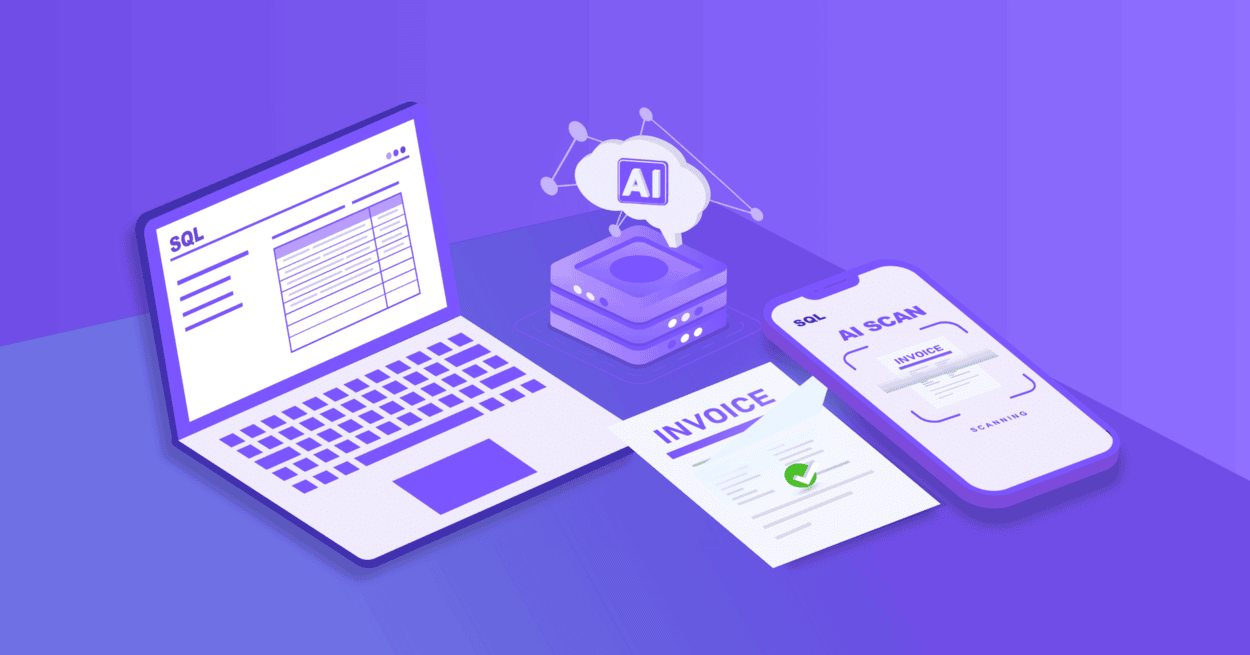
The system combines state-of-the-art AI-powered OCR technology with seamless mobile integration, allowing users to process accounting documents simply by taking a photo and sending it through WhatsApp. The AI then automatically identifies the document type, extracts all relevant information, and populates the correct fields in your accounting system.
The process is remarkably simple:

Snap a photo


Send via WhatsApp

AI extracts data automatically

Review and confirm

Done
No scanning machines. No complicated software. No typing required.
How SQL AI EasyScan Works
Understanding the workflow helps illustrate just how efficiently this technology operates. When your team or clients receive a new bill, receipt, or invoice, the process unfolds seamlessly:
1. Capture and Send
Users simply photograph the document with their mobile phone and send it to the registered WhatsApp number. The document is instantly and securely transmitted to SQL Account.
2. AI Detection and Extraction
SQL AI automatically analyzes the document, identifies whether it's a Sales Invoice, Purchase Invoice, or Payment Voucher, and extracts all key information including supplier name, date, amount, tax, and line items.
3. Review and Verify
The system presents the extracted data in the appropriate document entry screen. Users simply review the information for accuracy a process that takes seconds rather than minutes.
4. Complete and Store
With one click, the transaction is posted. The original document image is automatically attached and stored with the accounting record, ensuring complete audit trails and easy document retrieval.
Supported Document Types and Formats
SQL AI EasyScan accepts a wide range of input formats to accommodate different business workflows:
Category |
Supported |
|---|---|
| File Formats | JPG, JPEG, PNG, PDF |
| Document Sources | Handwritten Bills, Printed Receipts, Electronic Invoices |
The system seamlessly integrates with essential accounting functions:
- Customer Payment processing
- GL Payment Vouchers
- Supplier Payment records
- Purchase Invoices
- Sales Invoices
The Business Impact: Key Benefits
The transformation SQL AI EasyScan brings to accounting operations extends beyond simple time savings. Organizations implementing this technology report significant improvements across multiple operational areas:
-
Dramatic Reduction in Manual Entry
Businesses typically experience up to 90% reduction in manual data entry time. For an accounting department processing 50 invoices daily, this can translate to reclaiming 3-4 hours of productive time that can be redirected toward more valuable financial analysis and advisory work. -
Enhanced Accuracy and Compliance
Human error in data entry transposed numbers, missed fields, duplicate entries can have significant consequences. AI-powered extraction provides consistent accuracy, automatically detecting duplicate documents and maintaining proper audit trails. This not only reduces errors but also strengthens compliance with accounting standards and tax regulations. -
Improved Document Management
Every processed document is automatically linked to its corresponding transaction and stored in the SQL database. This eliminates the common problem of missing receipts or misplaced invoices, while ensuring documents remain easily retrievable for audits or reference. All records are securely stored with 10-year cloud retention.
The Business Impact: Key Benefits
The choice to integrate with WhatsApp wasn’t arbitrary—it’s strategic. WhatsApp is the most widely used business communication platform in Malaysia, with over 98% smartphone penetration. Your staff, clients, and vendors are already using it multiple times daily.

By turning WhatsApp into an accounting input channel, SQL EasyScan removes all friction from the document submission process. No new apps to download. No training required. No workflow changes needed.
Consider the typical alternative: scanning documents at the office, manually typing information, or physically delivering receipts. WhatsApp integration means remote employees can submit expenses instantly from job sites, clients can send invoices the moment they receive them, and businesses can maintain uninterrupted workflows regardless of location.
Who Should Use SQL AI EasyScan?
While beneficial for virtually any business handling accounting documents, SQL AI EasyScan delivers exceptional value for specific use cases:
-
Accounting firms managing multiple clients with varying document volumes
-
SMEs and large corporations processing high volumes of invoices and receipts
-
Accounts departments seeking to reduce workload and minimize overtime
-
Businesses with remote operations needing efficient document collection from field staff
-
Companies focused on digital transformation and reducing paper-based workflows
-
Organizations using handwritten documentation that traditional OCR struggles to process